Customizable Item List
The dashlet shows a list of items from a source system.
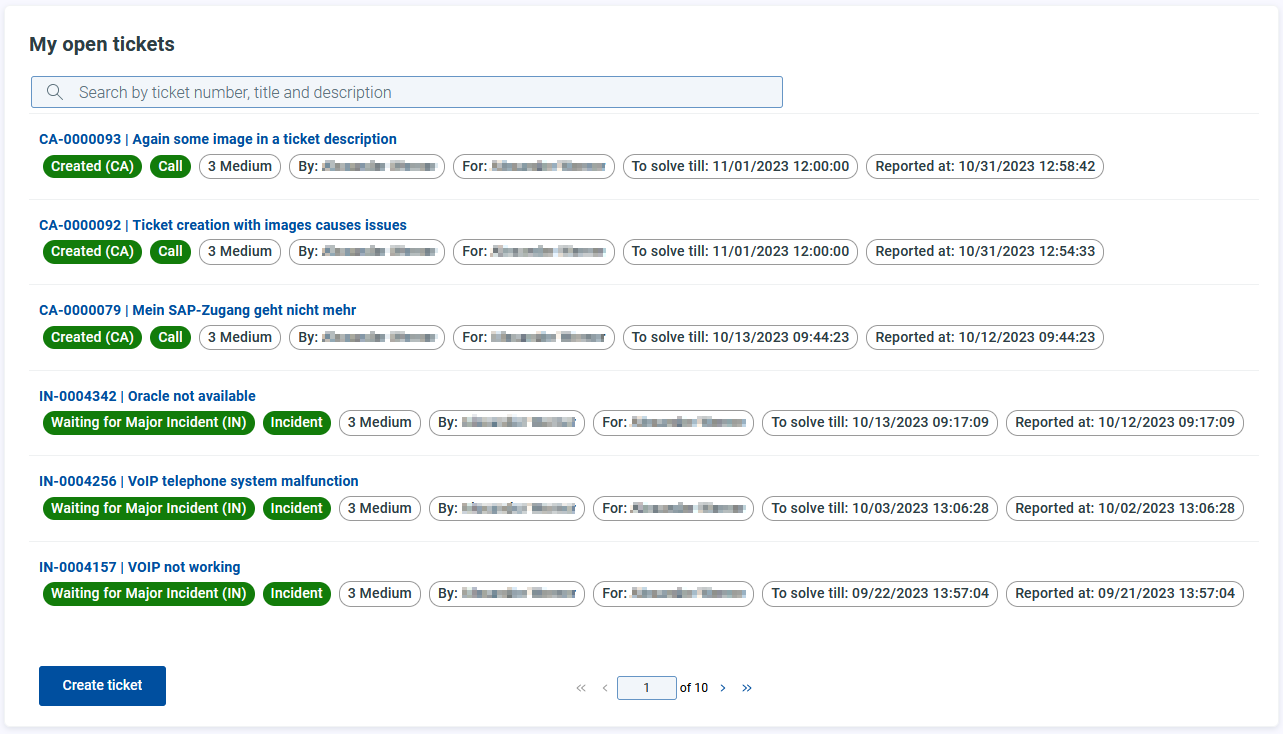
In addition to the general attributes, you have the following configuration options:
Resource
Target | Add the target URL/path of the resource and define the request method. |
Method |
|
Body Params/Body Edtior | NoticeThe field is only available when the target method
|

Item templates
With this template you define the display of the items within the dashlet.
Header
Language/Translation | Select the language and the corresponding translation of the header. You can reference to an attribute in the source system, e.g. Confirm your entry with |
Body
You have the following options available:
Rearrange the components via drag and drop. |
Opens the edit menu for the component. |
Deletes the component. |


To add a component, click on
 Add.
Add.Select the appropriate component type using the dropdown menu:
Badge
Markdown
TextField
Title
LineBreak
Now you need to configure the component according to your needs.
To configure the component, you have the following attributes available:
Important
The attributes may vary depending on the selected component.
Label | Select the language and the corresponding translation of the component label. Confirm your entry with |
Type (only for Badge) | Defines the color representation of the badge:
|
Value | Define the value of the component. You can reference to an attribute in the source system: In addition, you can define different languages for the Confirm your entry with |
Multiple (only for Markdown) | |
Component ID | Enter a component ID. |
Target (only for Markdown) | Add the target URL/path of the resource and define the request method.
For the Body Params
Body Editor
|
In addition you can define Display rules for each component.
Item details
Object ID | Add the Object ID |
Drawer width | Define the width of the drawer. |
Master detail view | Use the toggle to enable master detail view
|
Footer templates
You have the following options available:
Rearrange the components via drag and drop. |
Opens the edit menu for the component. |
Deletes the component. |
To add a component, click on Add. You have the following options:
Component | Select the component. NoticeOnly |
Icon | Select a icon. This icon will be shown in front of the label. |
Type | Select the appearance of the button:
|
Label | Select the language and the corresponding translation of the header. Confirm your entry with |
Allowed for the following roles |
Button type
Depending on the selected type you have to define additional attributes.
Drawer:Object ID: Add the Object ID
Drawer width: Define the width of the drawer
Page ID:Select the portal page using the drop down menu.
New tab: This opens a defined target link in a new tab.Script: This produces a runlink to USU Service Management.
For New tab and Script you have the following attributes available:
Target | Add the target URL/path of the resource and define the request method. |
Method |
|
Body Params/Body Edtior | NoticeThe field is only available when the target method
|
Allowed For
Clickable on the following devices | |
Enabled on the following devices |
In addition you can define Display rules for each component.
Pagination
Pageable | Enable/Disable the pagination capabilities of the list. |
Search properties
Enable or disable the search. Search enabled will display the search capabilities:
Placeholder Language/Translation | Select the language and the corresponding translation of the placeholder. Confirm your entry with |
Search condition You have two options for creating/editing the conditions: via Designer or Editor. | |
Designer | With the designer you can create search conditions via the user interface. You have the following attributes available:
|
Editor | With the editor you can create/edit the search conditions directly via JSON. NoticeIt is possible to add additional attributes for the search via the editor. If there is a unexpected attribute, a hint will be displayed in the Designer. |
Enabled on the following devices | |
