Table
The dashlet shows a table of items from a source system.
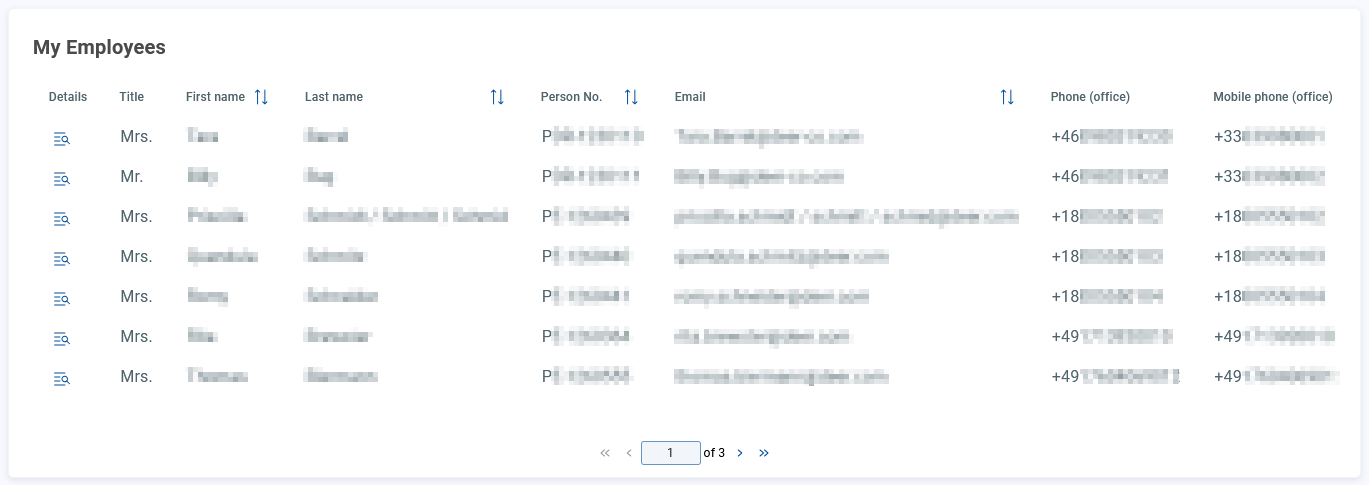
In addition to the general attributes, you have the following configuration options:
Resource
Target | Add the target URL/path of the resource and define the request method:
|
Body Params/Body Edtior | NoticeThe field is only available when the target method
|


Item templates
Columns | You have the following options available:
To add a column, click on |


Component
You have the following components available:
TableText
TableNumber
TableDate
Notice
Table with column type TableDate cannot process all types of localized date formats.
General Settings | |
Header Language/Translation | Select the language and the corresponding translation of the header. Confirm your entry with Delete your entry by clicking on |
Value | Define the value of the component. You can reference to an attribute in the source system: |
Target Field | Define the target field. |
Filter configurations | |
Sortable | Enable/disable the sort function. |
Filterable | Enable/disable the table filter function. |
Use custom filter component | NoticeTo use custom filter components you have to enable filtering. Choose between Using
|
Item details
Object ID | Add the Object ID. |
Drawer Width | Define the width of the drawer. |