Configuration in values.yaml
The *.yaml files contain and allow you to set configuration of the downloaded app.
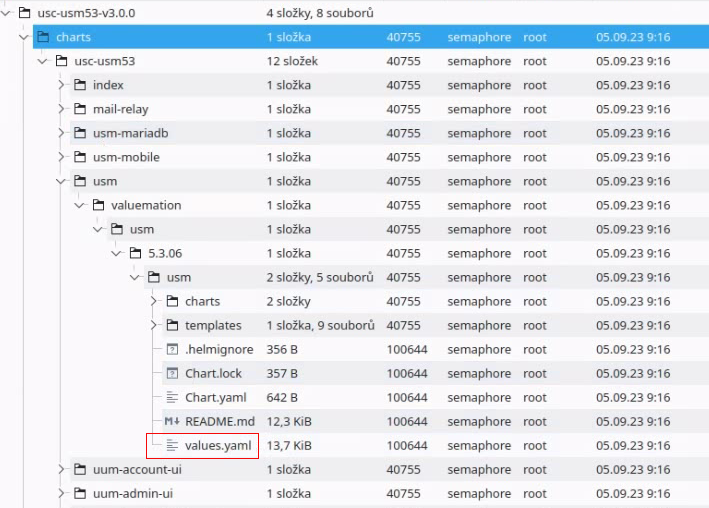
The basic configuration (default values) of the downloaded app is set in the file located deep in the charts folder.
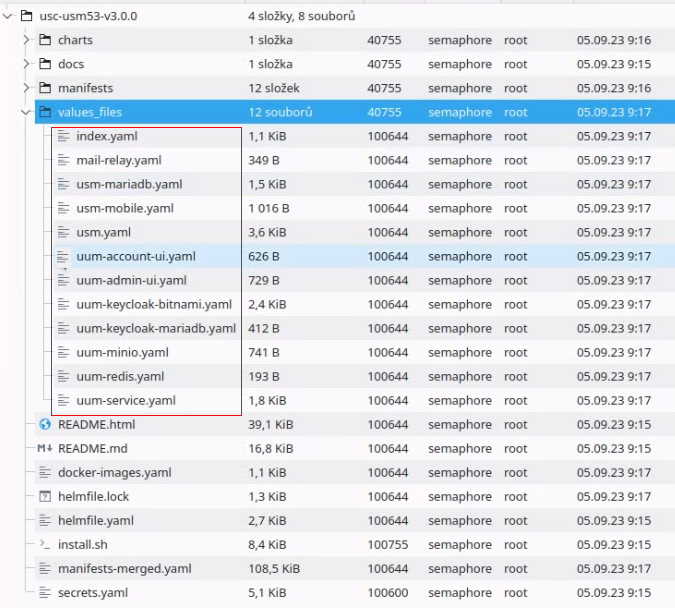
Any configuration changes must be done in dedicated *.yaml files located in the values_files folder.
After the configuration, install.sh or the installation method based on Helm is used.
Note
Before doing any configuration changes, it is highly recommended to utilize a version control system for the content of this USU Software Compose package. Make sure to exclude and handle separately any security-sensitive content from the repository.
To initialize a repository in the root of this package, run:
echo "/secrets.yaml*" > .gitignoregit initgit add .git commit -m "Initial state"Check various command line options of the install.sh utility:
./install.sh -hNote
It is also highly recommended that you change all of the default passwords.