Advanced installation methods
Unlike the Quick Start approach, a pre-configured Kubernetes cluster is expected to exist.
This includes:
Any of k3s, minikube, microk8s etc. running on a Linux OS platform, or a cloud provider.
Installed and configured cert-manager.
With cert-manager, it’s also recommended to install trust-manager for CA (bundle) trust distribution across a Kubernetes cluster.
Installed and configured MetalLB.
Installed NGINX Ingress Controller.
Installed vals.
Prepare namespaces:
Create namespace(s):
kubectl create namespace usc-oneCreate containing credentials for accessing docker images:
DOCKER_CONFIG=.docker/ docker login docker.devops.usu.groupCreate image pull secrets:
kubectl -n usc-one create secret docker-registry usu-regcred --from-file=.dockerconfigjson=.docker/config.json
Method 1
This method is sort of a static installation with the least configuration flexibility.
This USU Software Compose is in one namespace. Thus, it is possible to apply merged k8s templates:
Example:
vals eval -decode-kubernetes-secrets -f manifests-merged.yaml | kubectl -n usc-one apply -f -
Method 2
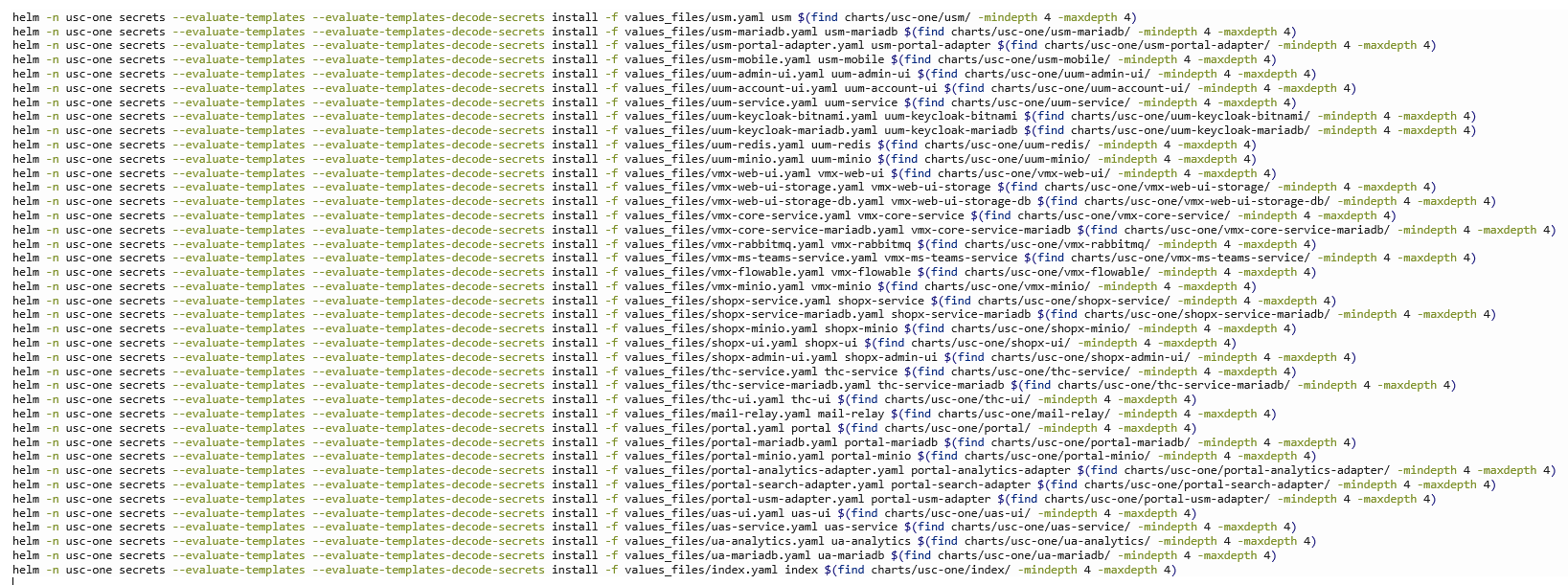
This method offers the best flexibility. Charts are installed from the charts/directory (air gap).
To discover configuration possibilities, check the corresponding Readme files within the (sub)charts.
Example:
Method 3
This method utilizes USU Nexus Repository (online), still provides the flexibility, ease of control and other features such as diff’ing, simple updating etc.
Example:
export HELM_USER=<usu-nexus-username>
export HELM_PASSWORD=<usu-nexus-password>
helmfile apply --skip-diff-on-install --concurrency 1