Field dependencies in ticket dialogs
When creating a ticket, the fields within the ticket dialog are context-sensitive - they are not independent but work together based on field dependencies. This means that the value selected in one field can dynamically influence the available options or visibility of other fields.
Note
If you do not see all available systems or services in the ticket dialog, it may be due to active field dependencies based on your prior selections.
Pre-filtering based on field selection
Certain fields act as pre-filters for others.
For example:
When a user selects a specific person in the field, the subsequent and are automatically filtered to show only the systems and services related to that person.
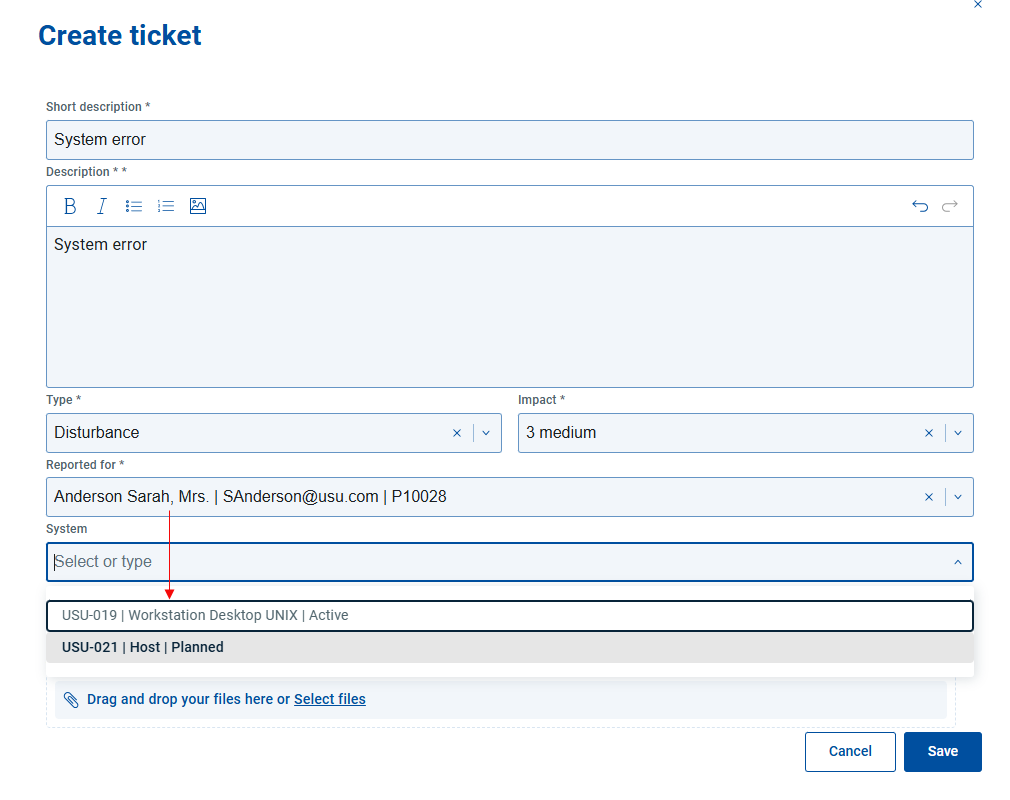
This ensures that users are presented only with relevant options, simplifying the selection process and reducing the risk of incorrect data entry.
Controlled field visibility
Administrators can also configure field visibility rules.
For example:
The field can be configured to remain hidden until a value is selected in the field.
This allows for a cleaner and more intuitive user interface, where only relevant fields are shown at each stage of the ticket creation process.