Welcome page overview
Welcome Page is an intro page of USU Self-Service Portal. It consists of several fixed and optional elements.
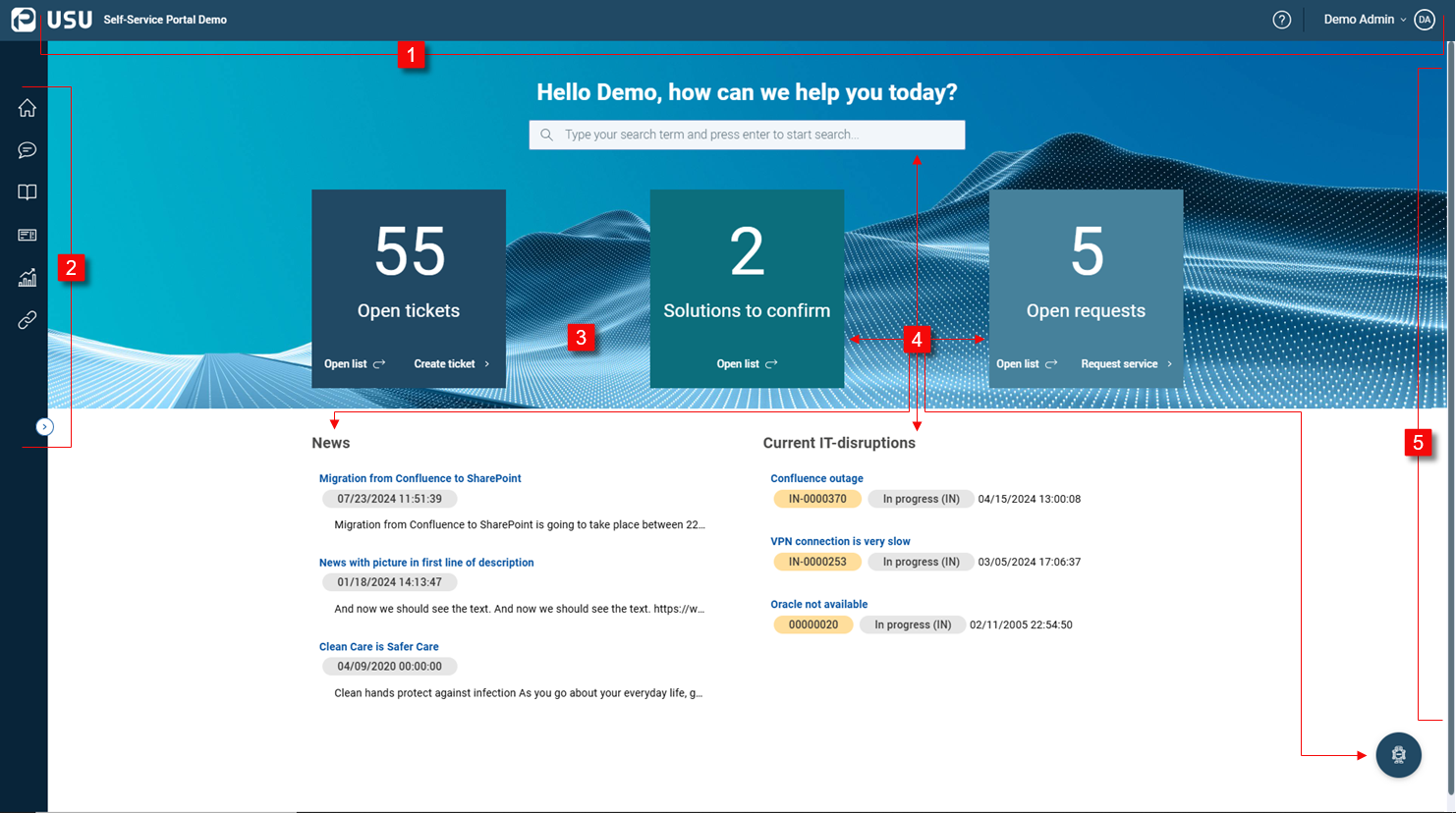
| USU toolbar is always visible at the top of the Welcome Page. It contains two elements:
Note that the toolbar and the navigation menu don't specifically belong to the Welcome page. They are the basic Portal components and are always available. | |
| Navigation menu is a vertical bar on the left side. It contains default items as well as some optional (customized) items. Note that the toolbar and the navigation menu don't specifically belong to the Welcome page. They are the basic Portal components and are always available. | |
| Welcome Page | Self-Service Portal home page. It consists of the following elements: Note that the Welcome Page is always a matter of individual customization. Also note that Self-Service Portal supports multiple Portal Pages which a single Welcome Page derives from. Each Portal Page is a collection of selected dashlets. See examples below. |
| All the elements in the Self-Service Portal Page:
These elements as well as other dashlets created by your admin can be combined within one or multiple Portal Pages. | |
| Drawer | A panel sliding in from the right part of the current page. There are two drawer types:
Typically if you click a specific element, a drawer slides in from the right. |


Note
can be configured in two ways:
All Portal pages and configurations are built from scratch.
USU GmbH imports a standard package of different portal pages and configurations. This standard package can be used as the basis for the customer-specific content.
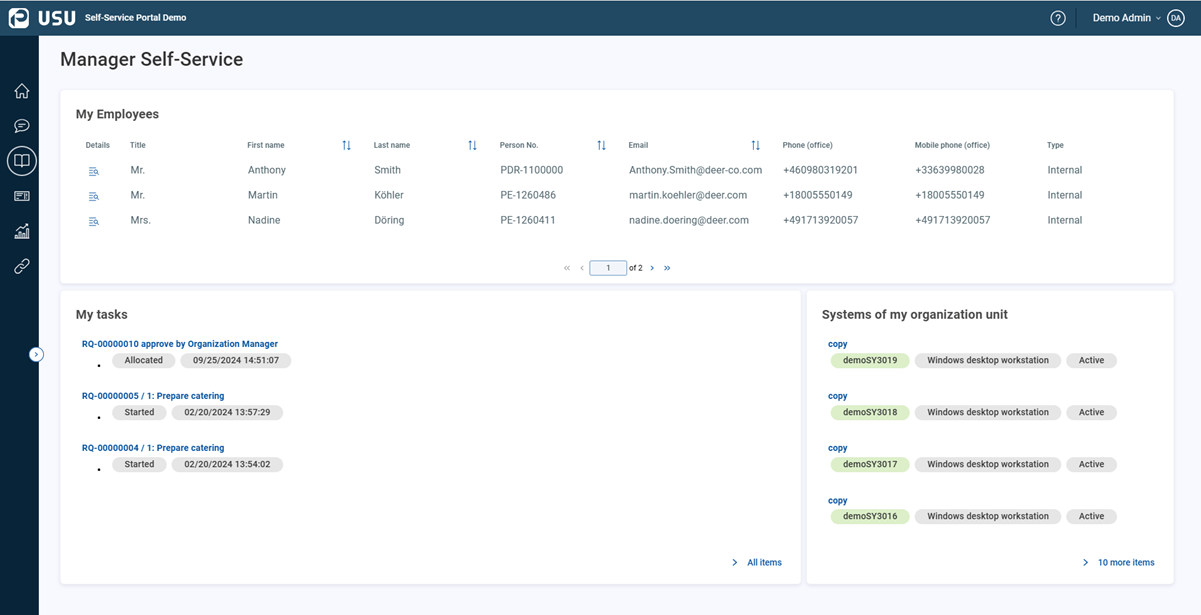
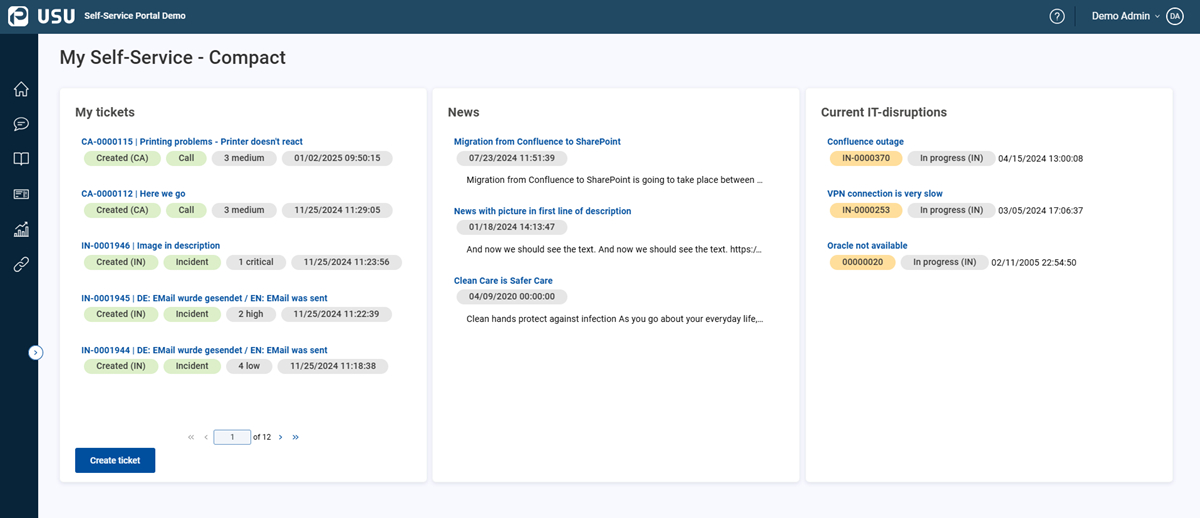
Examples of various configurations of the Welcome and Portal Pages
Depending on the dashlet configurations, the Welcome Page and Portal Page can be composed in different ways.
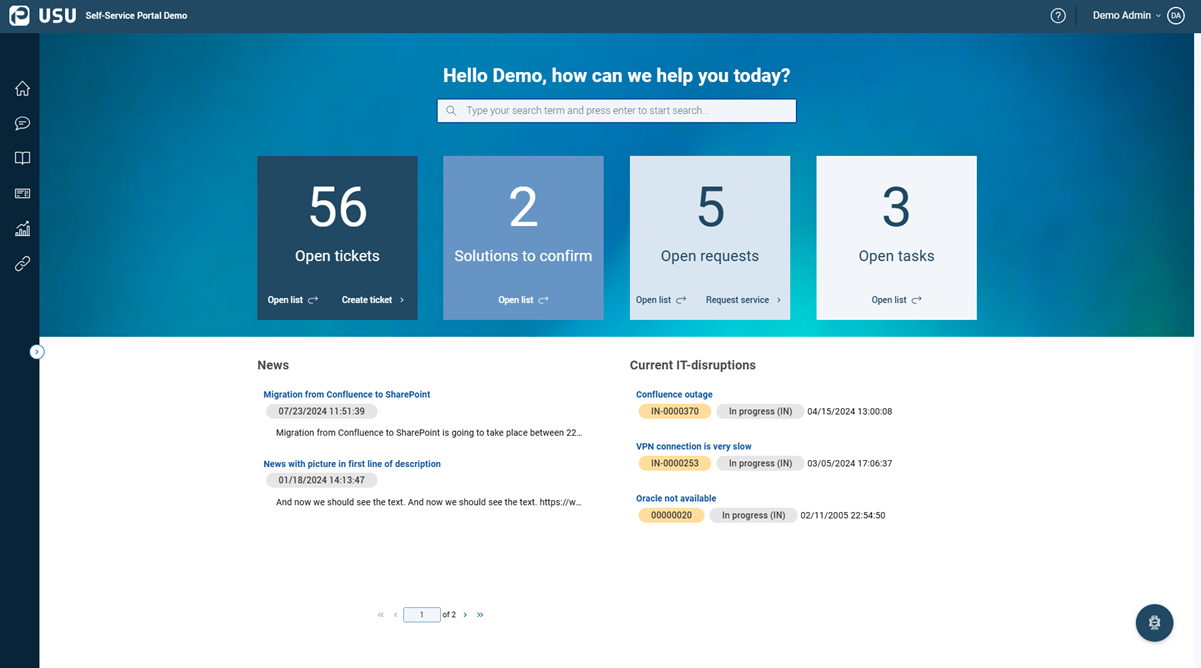
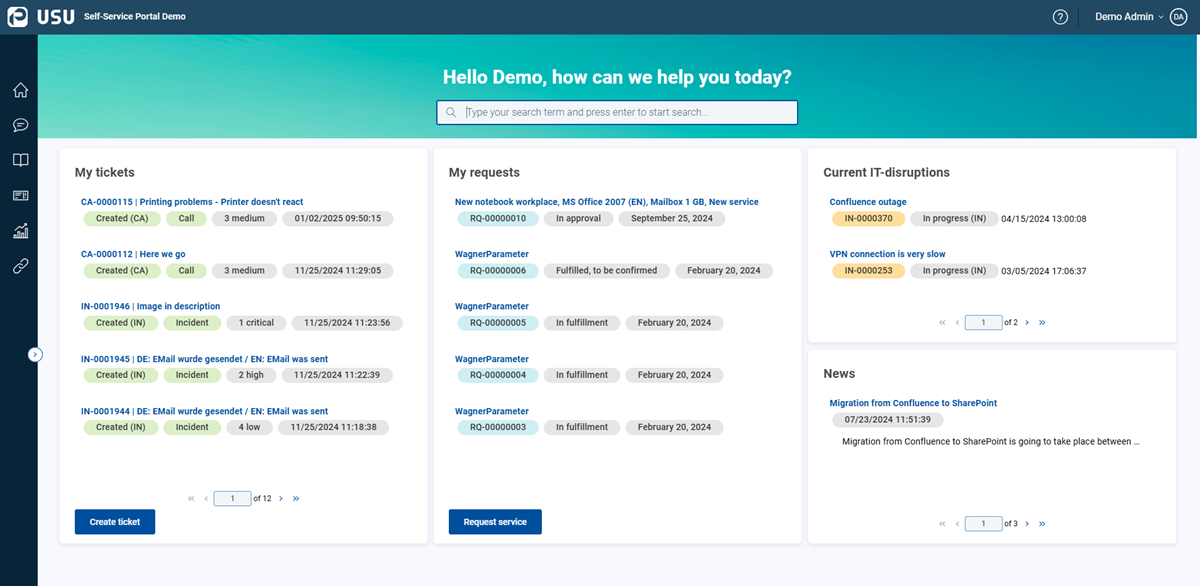
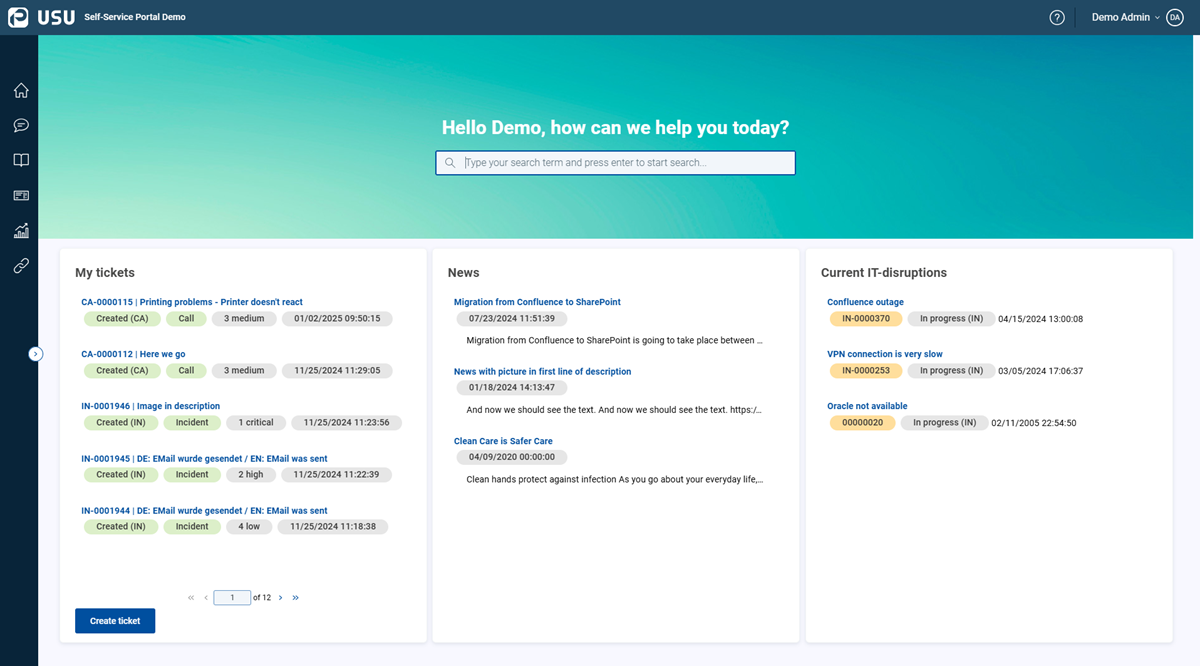
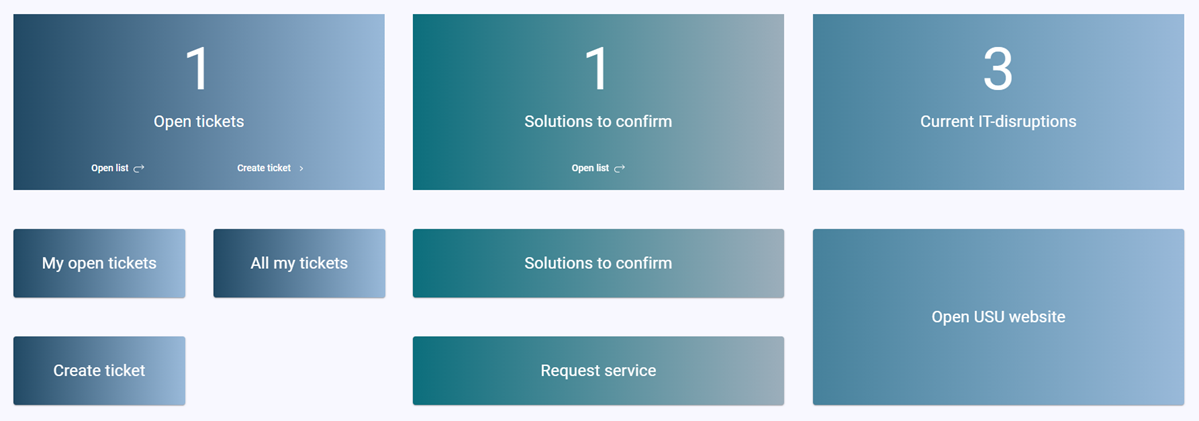
The Button dashlet showcases the styling options available for buttons, including colors, gradients, and other design elements.
These buttons can serve various purposes:
Navigating to another page
For example, My Open Tickets.
Opening a drawer
For example, the Create Ticket drawer.
Providing external links, such as run links
For example, the Request Service run link.
Note that the button customization, including design and functionality, can only be performed by the USU Self-Service Portal administrator.