Ticket AI integration
The AI integration is an optional feature and is not automatically included in the default Self-Service Portal installation. When enabled, this feature helps you efficiently identify existing matches for your ticket, making it easier to determine the root cause of your issue.
To create a ticket with AI assistance:
Go to the Open tickets Info tile.
Click .
The Create ticket compact dialog opens.
Start filling in the or fields. As you type, the AI automatically analyzes in the background and provides any similar Major Incidents that might be the root cause of your issue.
Note that the more input details you provide, the narrower and more accurate the search results will be.
If similar incidents are found, they will appear below in the dialog box.
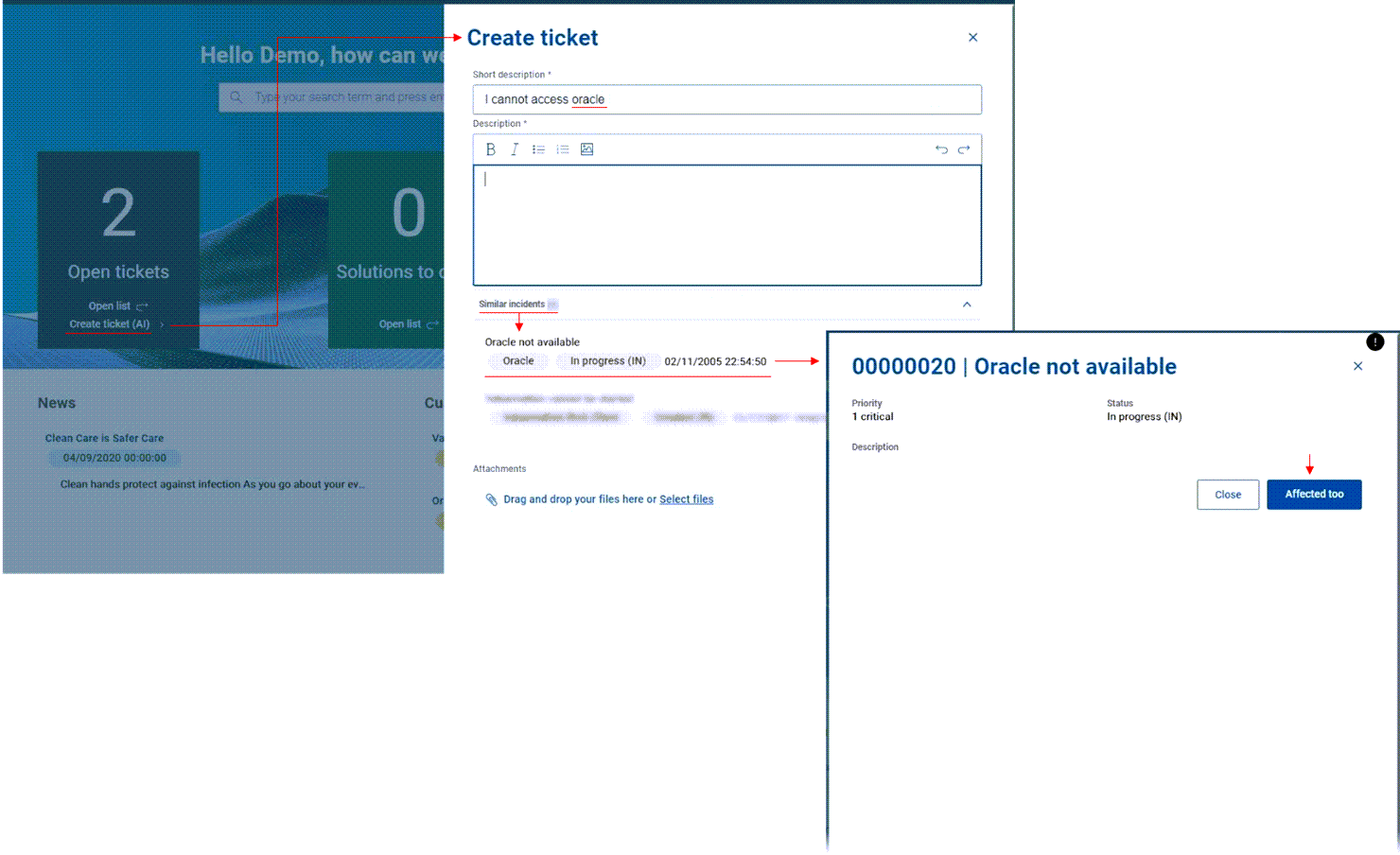
Review the list and select the incident that most closely matches your case.
View the incident details and confirm if it matches your issue.
If it does, click Affected too.
A new ticket is created and linked to the matching incident.