Opening the USM Service Shop for creating a service request
You can open the USM Service Shop from the Self-Service Portal through the following places:
The Open requests Info tile
The Overview of my requests dialog
The Request detail view
To call the USM Service Shop from the Self-Service Portal:
Go to the Open requests Info tile.
Click to call the USM Service Shop immediately.
Alternatively, click to open an Overview of my requests dialog where you can check your requests.
In the Overview of my requests dialog:
Review your open requests.
Click Request service to call the USM Service Shop.
Select a request and click it.
The Request detail view opens.
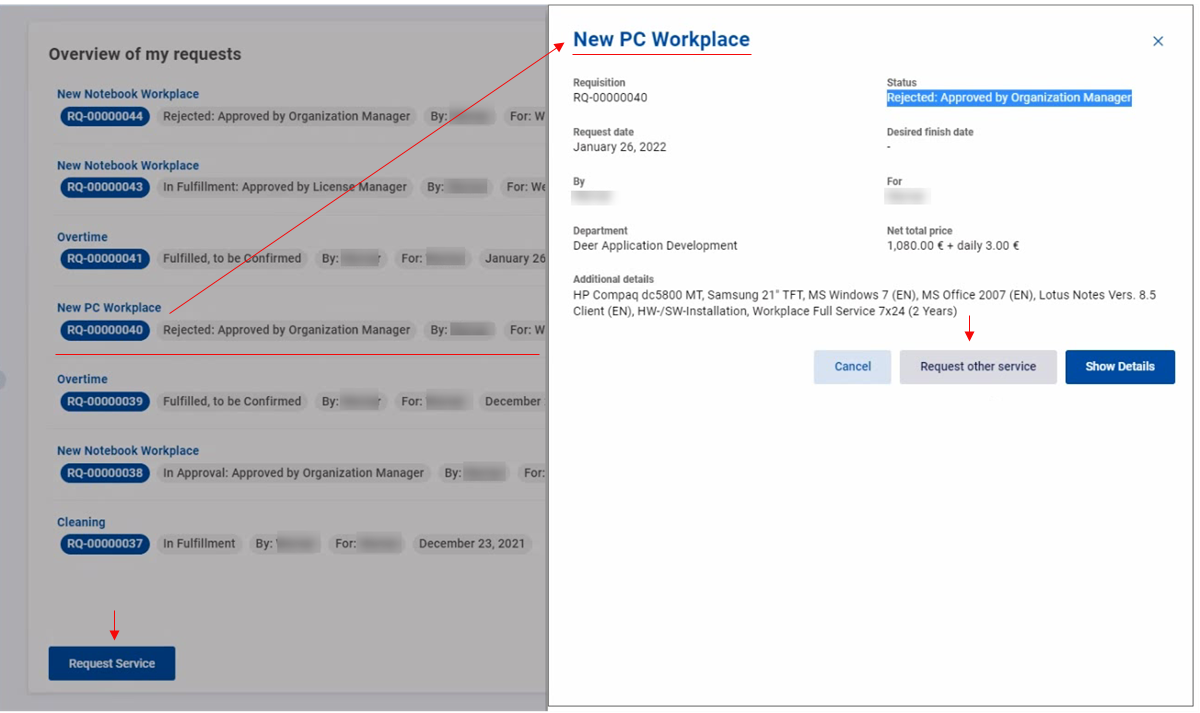
Review details such as status, request dates, and other additional information.
From the Request detail view:
Click Request other service to call the USM Service Shop.
Alternatively, click Show details to call USU Service Management for more in-depth information.