Creating a ticket: Full form
Note
The availability of the compact ticket form or the full ticket form depends on the admin settings. Note that the full form is simply an alternative layout for the create ticket form.
To create a ticket in a full form:
Click Create ticket in a dialog.
The Create ticket full-scale dialog box opens.
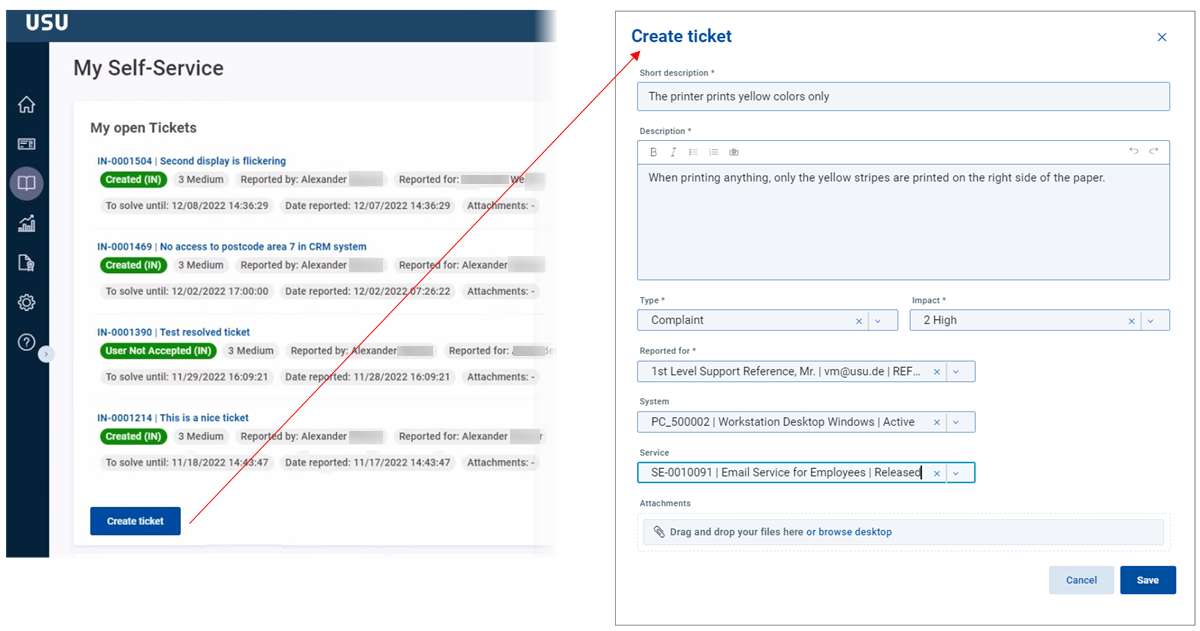
This dialog contains the other specific fields related to the ticket creation: Description, type, impact, reported for, system and service.
Fill in at least the mandatory fields.
Click Save.