Initiating chatbot with search listener
The Chatbot with Search Listener enhances the user experience by automatically notifying users of the option to initiate a relevant chatbot dialog based on keywords or phrases entered into the search box.
To initiate and interact with the Chatbot with Search Listener:
Enter a keyword into the search box.
Press Enter.
The Search Listener analyzes the keyword against the existing content in the system (e.g., chat dialogs or Knowledge Center articles).
If a match is found, the Chatbot displays a message offering immediate help.
Click the message or the Chatbot icon.
The Chatbot window opens with the conversation already initiated.
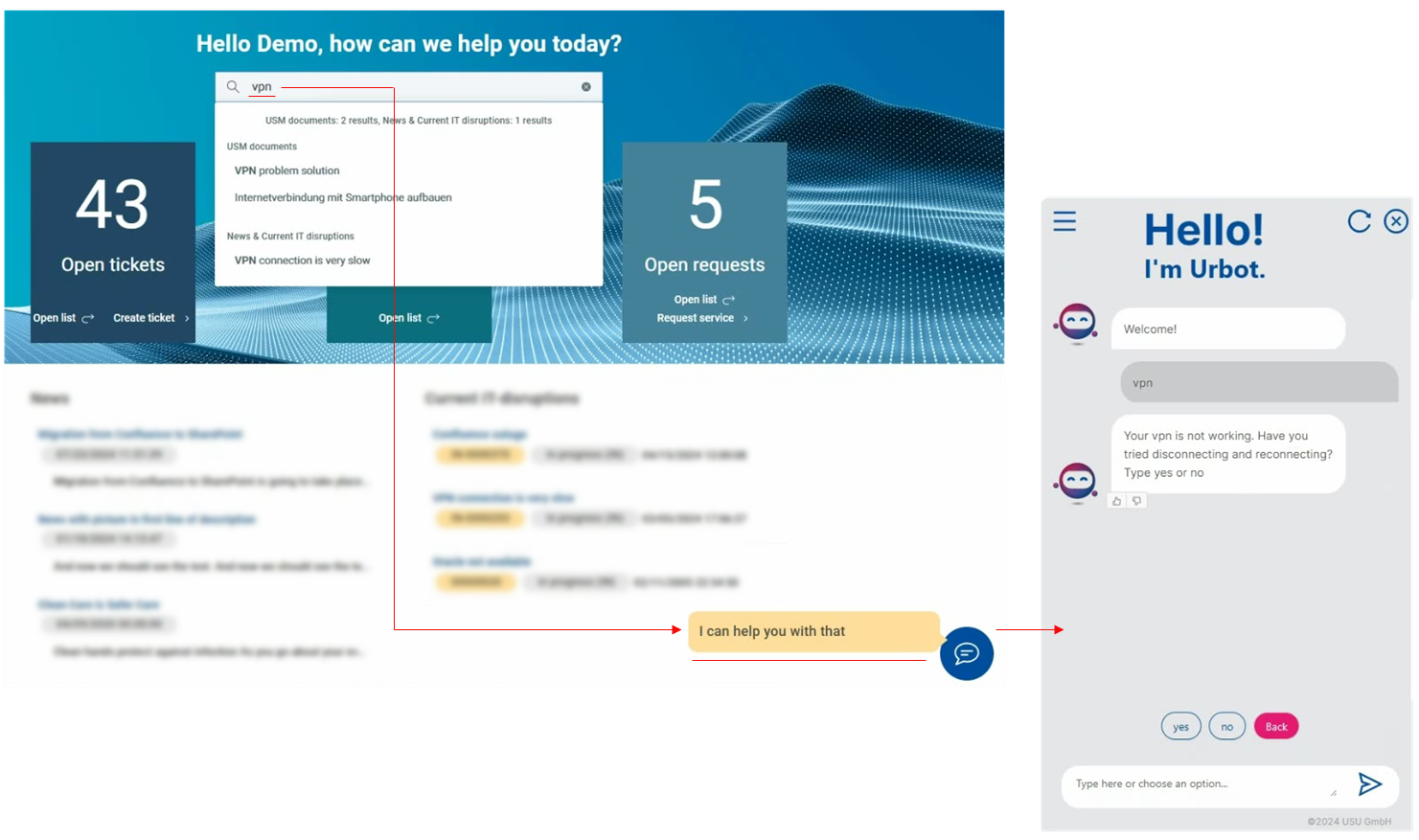
Continue the conversation until you reach a satisfactory solution.