Component customization
The configurable properties of each component are organized in collapsible sections. To edit a component, expand the corresponding section.
The tabular display of the setting options is the same for all components. Which parts/status can be customized is described in the following chapters.
The following columns are available:
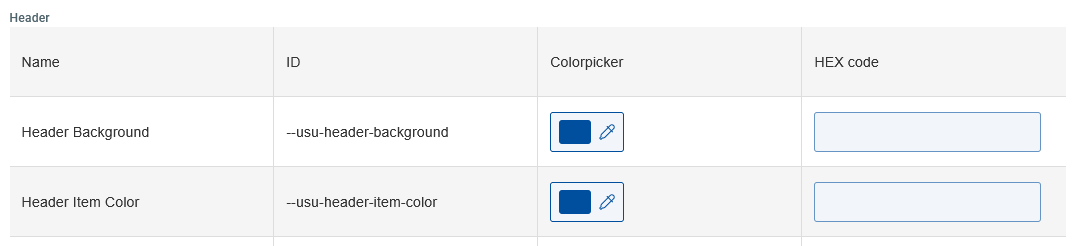
Field name | Description |
|---|---|
Name | Shows the full name of the component |
ID | Shows the unique ID of the component |
Colorpicker | Click on the colorpicker to open the color palette. You can now select your desired color and determine its opacity. You also have the following options:
When selecting a color using the colorpicker, the corresponding HEX code is automatically inserted into the text field in the HEX code column. |
HEX code | You can also add a hexadecimal color code starting with #, followed by 3 or 6 characters (0-9, A-F) to the textfield e.g. |
